Resource pricing
CruiseKube surfaces approximate cost and savings in the dashboard by applying hourly unit rates to CPU and memory. This is a heuristic, not billing integration.
Beta
Cost monitoring is beta. CruiseKube does not maintain a full time-series billing history; figures are point-in-time estimates from current recommendations and requests.
Mental model
In the real world you pay for instances (on-demand, spot, reserved, etc.). The dashboard instead uses:
- A configurable $/CPU core / hour
- A configurable $/GB memory / hour
All “monthly” numbers use 720 hours/month unless noted otherwise in the product.
Default assumptions (built-in reference model)
When no custom rates are set, calculations use a reference derived from public EC2 pricing:
- Base shape: AWS
c5a.xlarge(4 vCPU, 8 GiB). - Blend: half on-demand, half spot (no reserved).
- Split: half of instance $/hr attributed to CPU, half to memory (network/storage bundled for this model).
- GPU instances are excluded from this reference path.
From instances.vantage.sh — c5a.xlarge (illustrative; prices change):
- Blended instance \(/hr ≈ **(\)0.154 + \(0.078) / 2** → **\)0.116/hr**
- Per vCPU before split: \(0.116 / 4** → **\)0.029/core/hr
- Per GiB before split: \(0.116 / 8** → **\)0.0145/GiB/hr
- After 50/50 CPU vs memory attribution on that synthetic split, effective defaults used in-product are approximately:
| Resource | Default (USD) |
|---|---|
| CPU | 0.0145 / core / hour |
| Memory | 0.00724 / GiB / hour |
Where to configure
- Open the dashboard (see Dashboard).
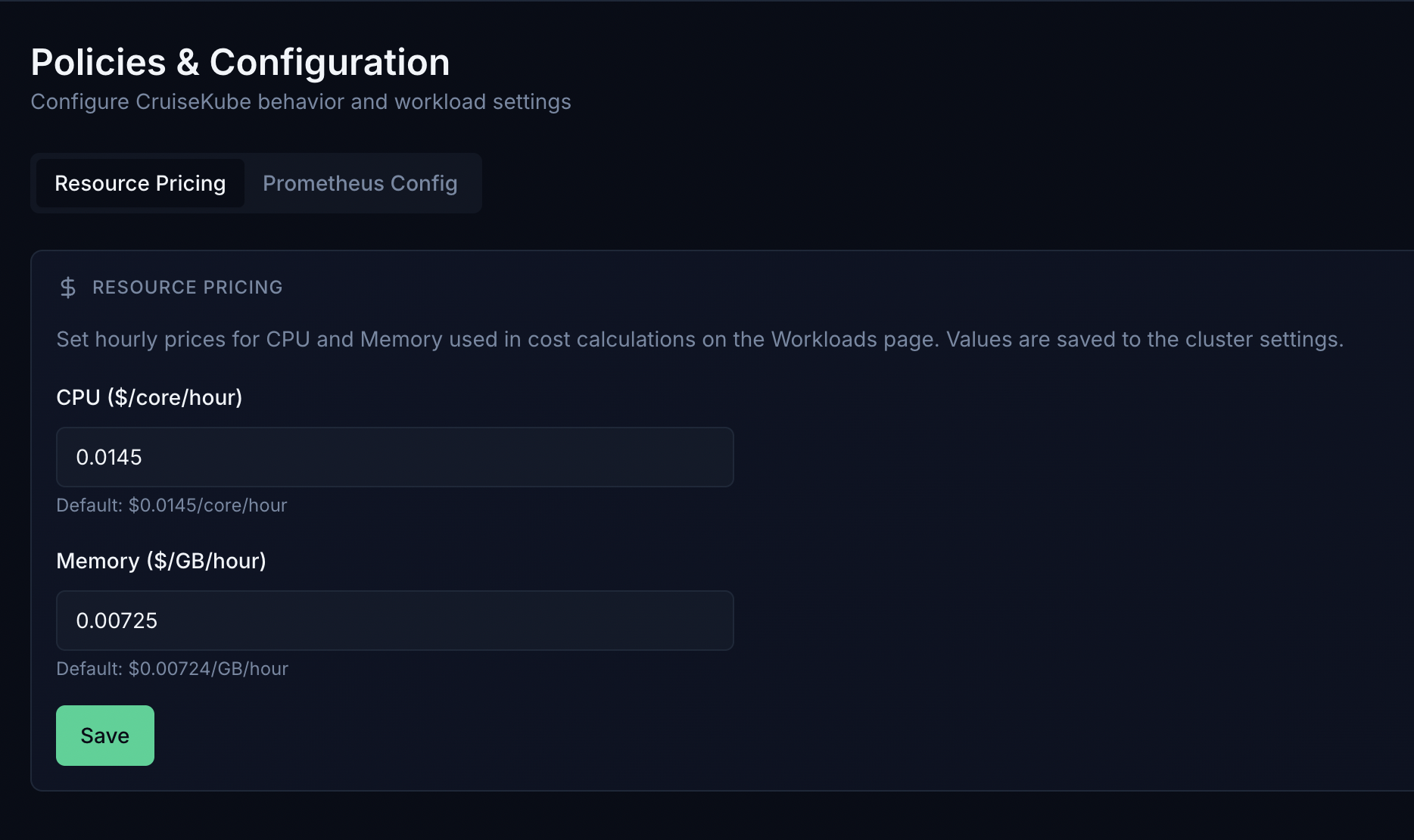
- In Policies & Configuration, open the Resource pricing (or equivalent) tab—CPU and memory unit rates used for dashboard cost cards and per-workload savings.
- Enter CPU and memory unit prices.
Values are stored in the browser for the cost views (they are not a substitute for your cloud bill).
Related reading
- Policies & modes — Recommend vs Cruise, eviction priority.
- Tradeoffs — eviction, HPA interaction, memory risk.
- Helm chart reference — no direct “billing API”; pricing remains a UI concern.
Honest limitations
- Does not know your committed use, enterprise discounts, or regional price tables.
- Does not replace cloud cost tools (CUR, FinOps platforms).
- Savings are “if recommendations were fully applied,” not a bankable invoice line.
Use the numbers for directional decisions and executive storytelling—then validate against your real CUR or billing export.