Configuration Dashboard
The CruiseKube dashboard provides a web interface for monitoring and managing your resource optimization settings.
Accessing the Dashboard
The dashboard is exposed as a Kubernetes Service and can be accessed in several ways:
Using kubectl port-forward
Using ingress (if configured)
If you have configured an ingress controller and exposed the dashboard via ingress, you can access it using the configured domain.
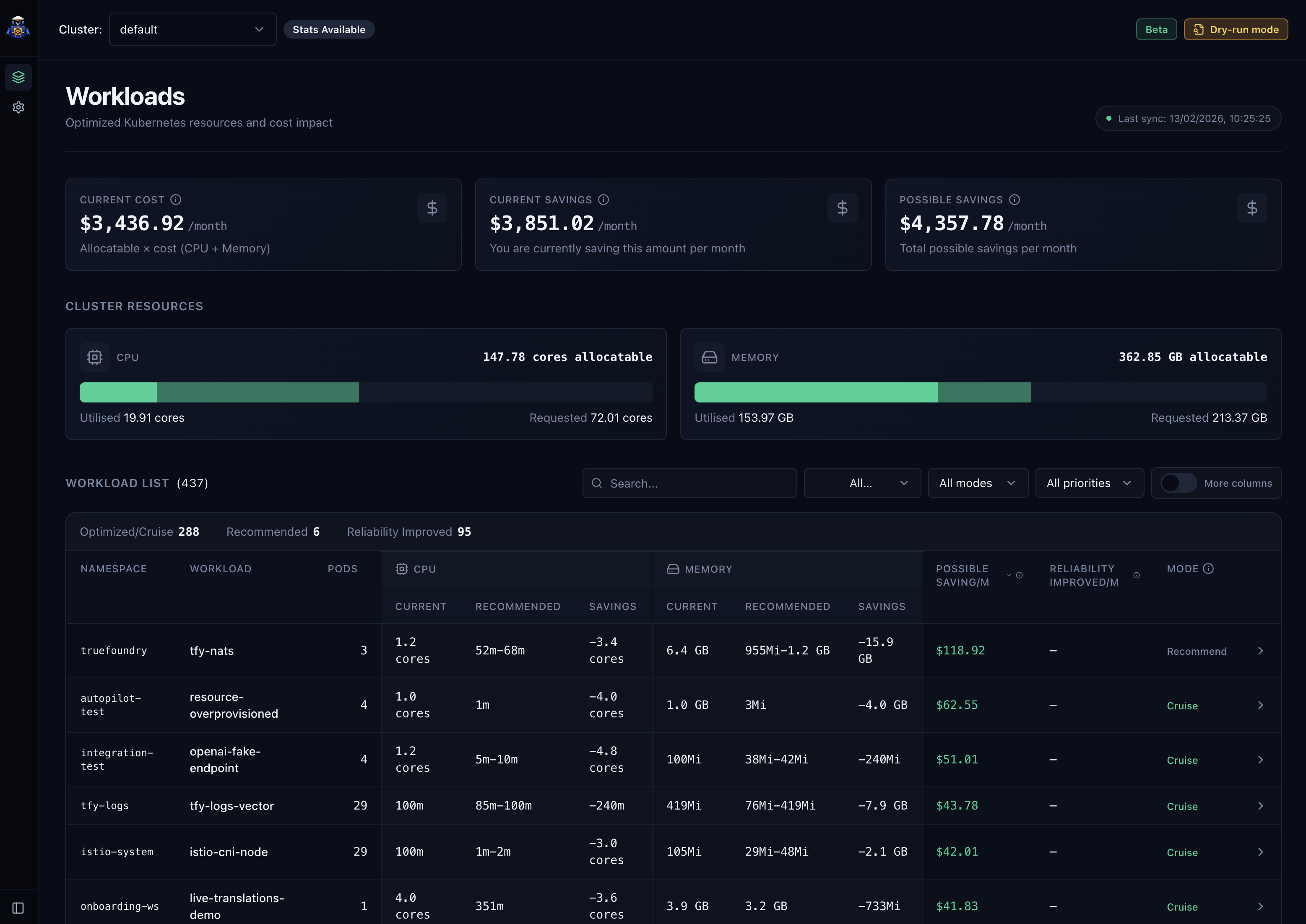
Workload & Recommendation
You can view the recommendations and manage workloads through the dashboard. This tells you the current status, optimization suggestions and cost saved for your workloads.
Policies & Configuration
You can configure optimization policies and settings for your workloads through the dashboard.
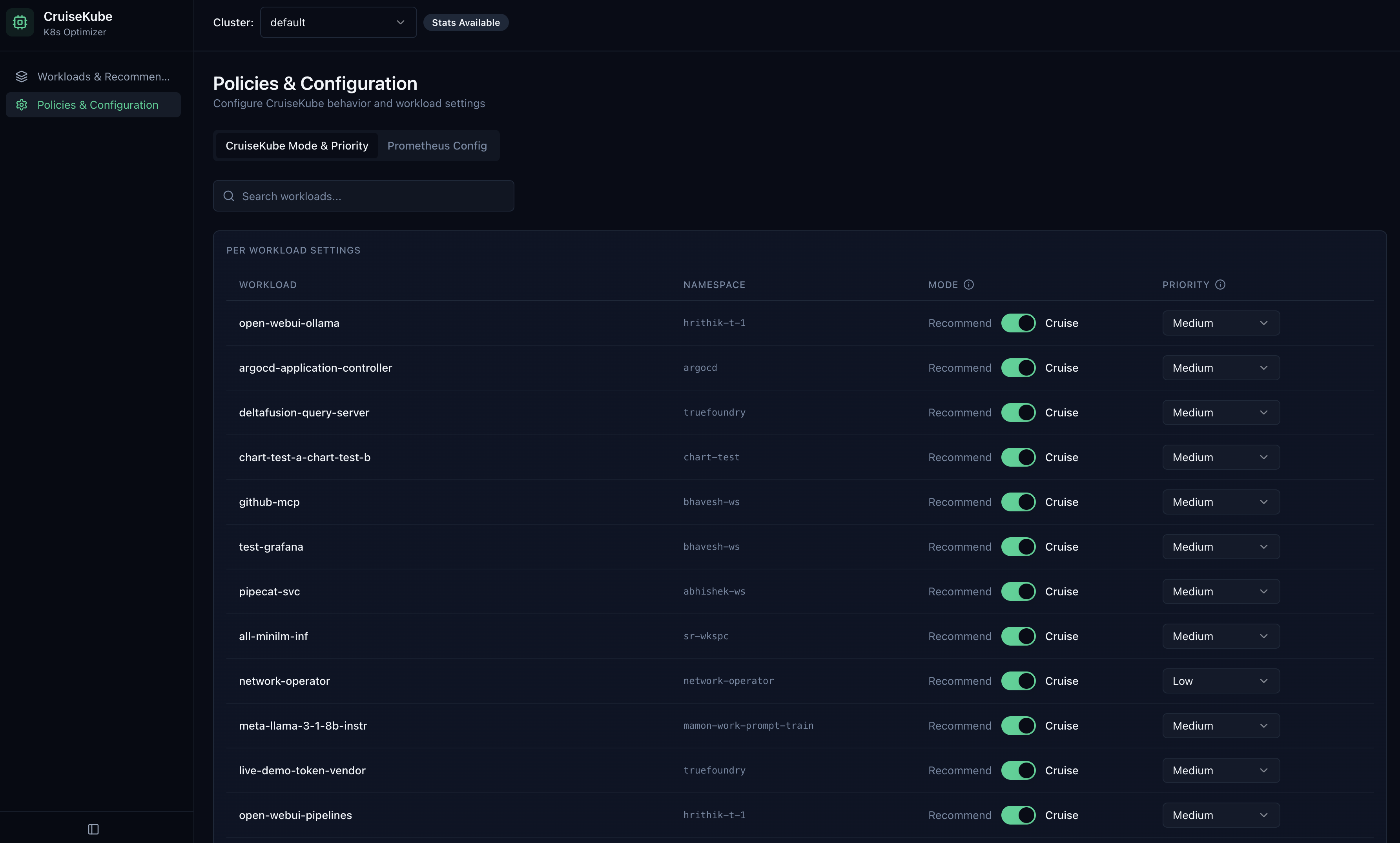
Configure Options For Workloads
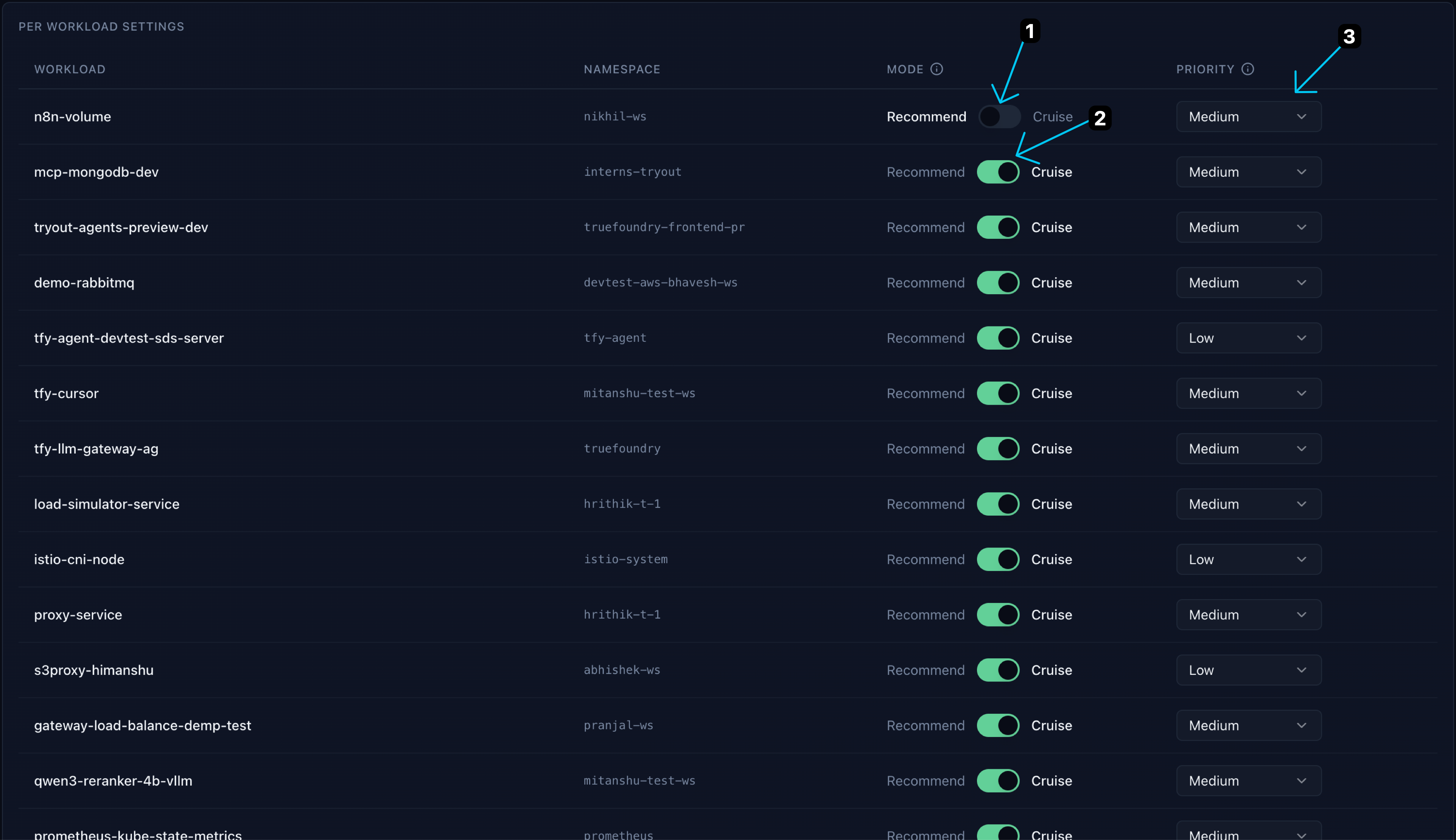
- Recomment Mode (Disabled): No optimization is applied to the workload.
- Cruise Mode (Enabled): CruiseKube applies optimization to the workload based on the configured policies.
- Priority: We use a notion of per-workload priority to make sure the lower priority workloads are evicted first if possible. Workloads with single replica or part of a statefulset are kept at a higher priority by default.
- Low: Low priority workloads are evicted first. This is the priority for most workloads by default
- Medium: Medium priority workloads are evicted next. Single replica or statefulset workloads are set to this value by default
- High: High priority workloads are evicted as a last resort
- No-Eviction: No-eviction workloads are never evicted at all